CLASSIFIED IMPERIAL INTELLIGENCE · WARZONE #1146
How to Get Access
A step-by-step guide to entering Kaiserin TP's Warzone Intel Dashboard.
What you'll do
- Log in with Discord to see your personal code.
- Send Kaiserin TP a Sunlit Flower gift in-game, with your personal code as the message.
- Wait for Kaiserin TP's in-game reply, then screenshot the gift and her reply together.
- Upload your gift screenshot.
- Pick your warzone if asked.
- Land on the dashboard.
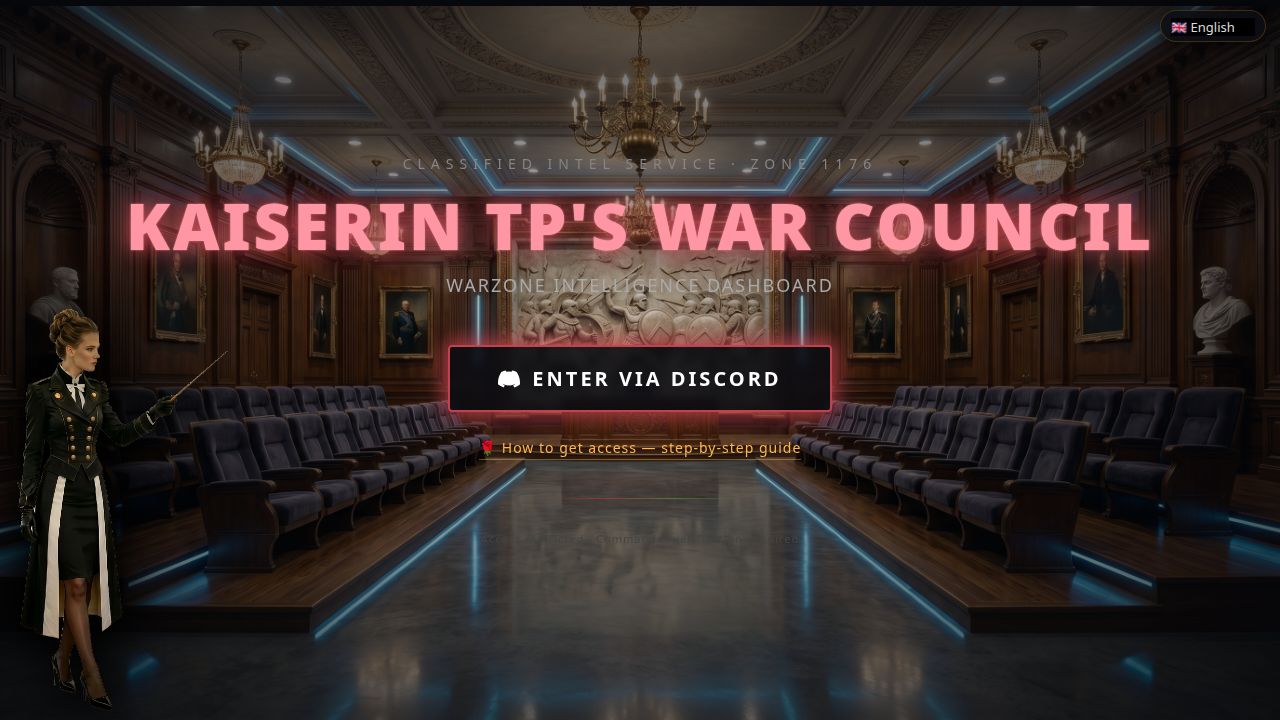
1 Log in with Discord
Open the dashboard and tap Enter via Discord. You'll be taken to Discord to log in (or confirm) the account you use in the alliance, then sent back automatically. Once back, the verification page shows your personal code — copy it before opening the game.
2 Send the flower gift in-game
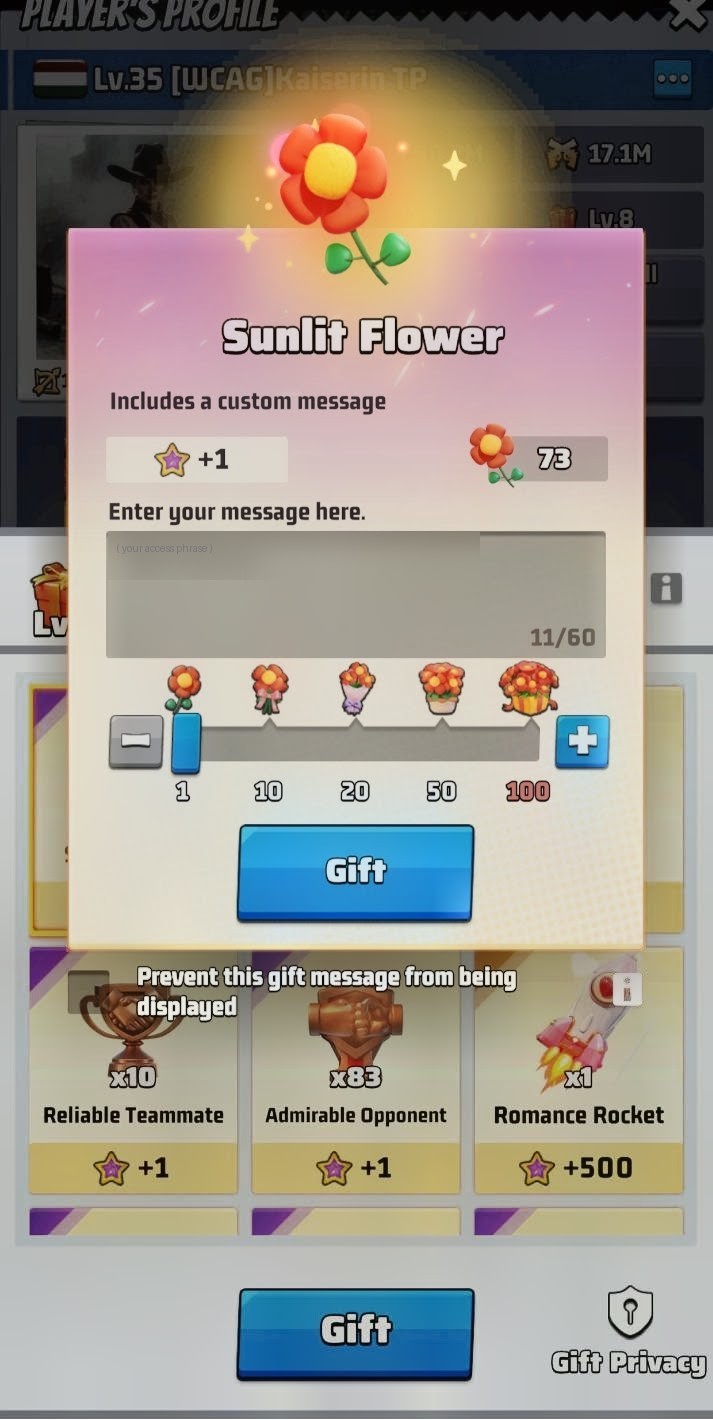
Open Last War: Survival and go to Kaiserin TP's player profile.
- Tap Gift on her profile.
- Select the Sunlit Flower gift.
- In the "Enter your message here" field, type your personal code exactly as shown on the verification page.
- Leave the quantity at 1 — one flower is enough.
- Tap Gift to send it.
3 Take your screenshot
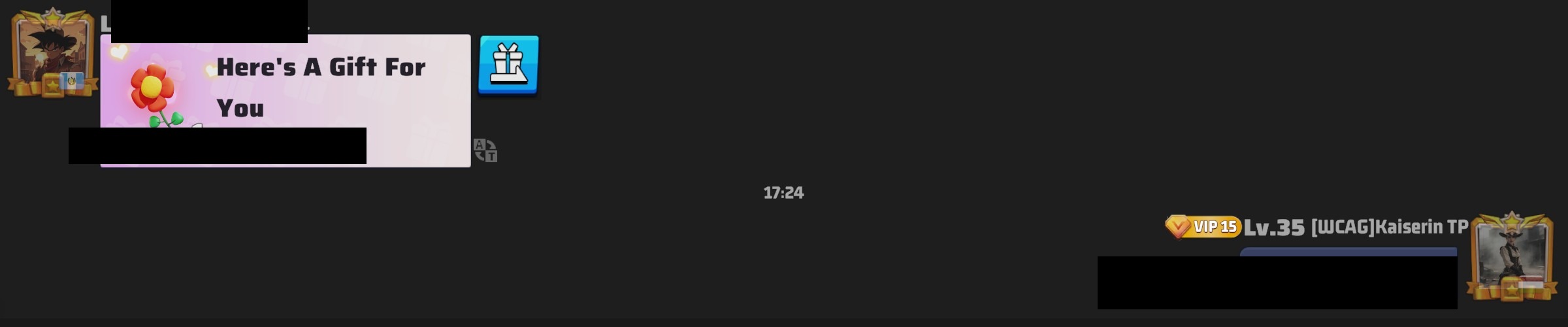
After the gift is sent, do not close the screen yet. Kaiserin TP will reply in-game with a secret word. Once her reply arrives, scroll so that both the flower gift you sent and her reply with the secret word are visible together, then take a screenshot. This is the image you will upload.
4 Upload your screenshot
After Discord login you reach the Commander Verification page.
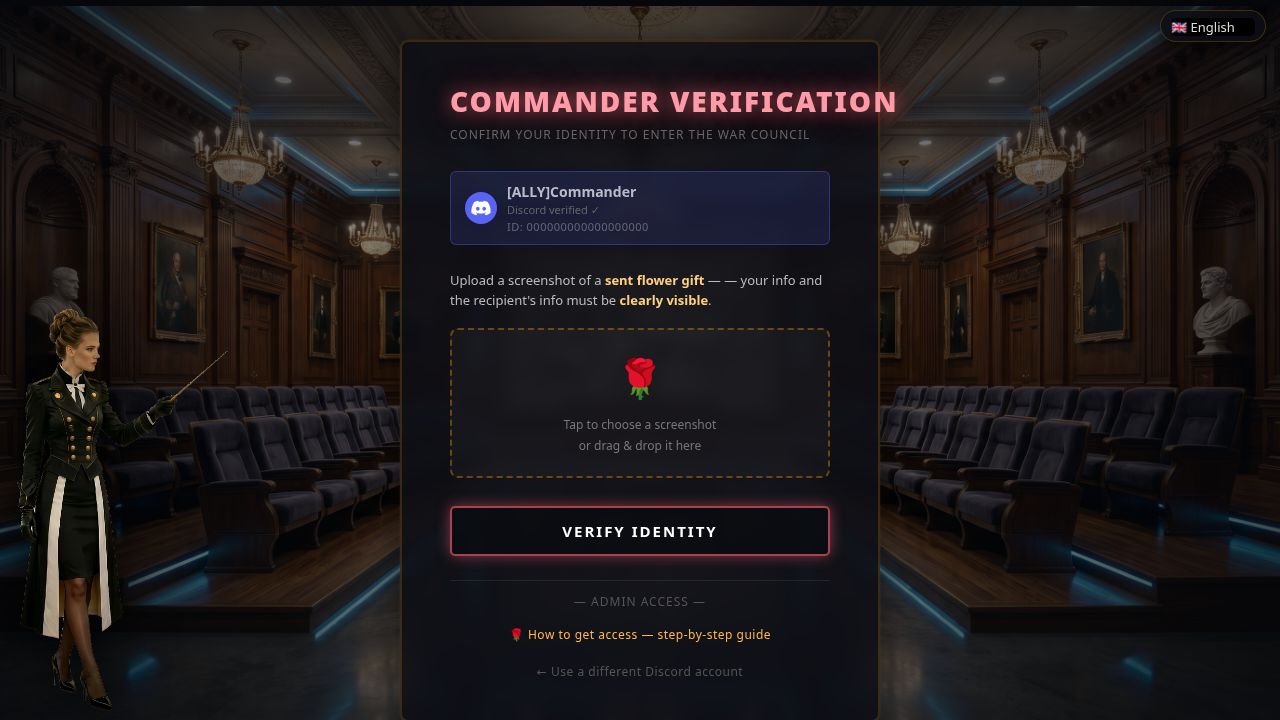
- Confirm your Discord username at the top is the right account.
- Tap the flower drop zone (or drag your screenshot onto it).
- Check the preview, then tap Verify Identity.
The server reads your screenshot automatically and checks: the Sunlit Flower gift appears, your personal code is visible in the message, Kaiserin TP's secret reply word is visible, and your commander name matches a known alliance member. On success you go straight to the dashboard.
5 Select your warzone if prompted
If the server can't determine your warzone from the screenshot, a picker appears:
Pick your zone from the dropdown and tap Verify Identity again.
6 You're in
You land on the Warzone Intel Dashboard — browse the Zone Intel Summary, the Warzone Lethality Map, and per-zone rankings. You stay logged in for the session; next time, just tap "Enter via Discord" again — no new gift needed once you're verified.
Troubleshooting
| Problem | What to do |
|---|---|
| "Personal code not found" | Open the verification page to see your code, then type it exactly in the message field before sending the flower gift. |
| "Kaiserin TP's secret word not found" | Wait for Kaiserin TP to reply in-game with the secret word, then scroll so both the flower you sent and her reply appear on screen and take a fresh screenshot. |
| "Commander name not found" | Your name must be in the leaderboard data for your zone. Ask Kaiserin TP if your zone is loaded. |
| "Account not approved" | Your alliance or zone may be restricted — contact Kaiserin TP. |
| Discord login fails | Use the same Discord account known to the alliance; try clearing cookies and retry. |
| Screenshot keeps failing | Capture the pink confirmation screen and upload the original file — don't screenshot a screenshot. |
Admin / passphrase fallback
If Kaiserin TP gave you a direct access passphrase (admin or alliance-leader access), use the "— Admin access —" link at the bottom of the verification page instead: enter your exact in-game commander name and the passphrase. Most players use the screenshot method above.